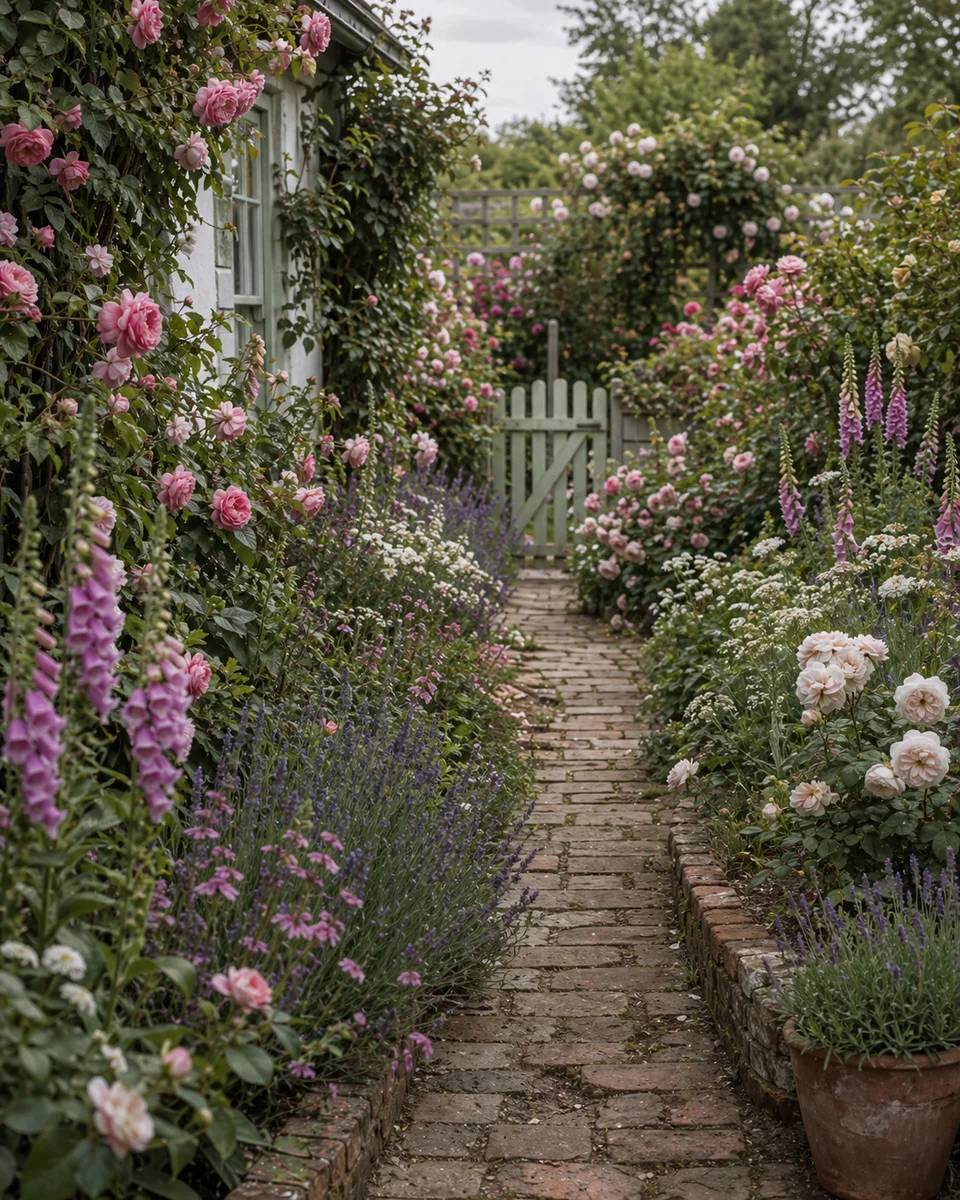
ออกแบบสนามหลังบ้านให้เข้ากับการใช้งานจริง
ใช้ Arden เป็นแอปออกแบบสนามหลังบ้าน ดูลานพาทิโอ แปลงปลูก ฉากบังตา ทางเดิน แสง และโซนอยู่อาศัยกลางแจ้งบนรูปสนามของคุณ
แอปออกแบบสนามหลังบ้านมีประโยชน์ที่สุดเมื่อช่วยตัดสินใจเลย์เอาต์ ไม่ใช่แค่เก็บแรงบันดาลใจ สนามต้องรองรับชีวิตจริง กิน นั่งเล่น สัตว์เลี้ยง เด็ก ที่เก็บของ ต้นไม้ ร่มเงา และเส้นทางจากบ้านไปส่วนอื่นของสนาม Arden ช่วยทดสอบชิ้นส่วนเหล่านี้บนรูปจริงก่อนใช้เงินกับพื้นแข็ง เฟอร์นิเจอร์ หรือต้นไม้
เริ่มจากเลือกงานหลักของสนามหลังบ้าน สนามครอบครัวต้องมีทางสัญจรชัดและพื้นทนทาน สนามต้อนรับต้องมีที่นั่ง แสง และการเชื่อมกับครัว มุมสงบต้องมีความเป็นส่วนตัว ร่มเงา และการปลูกที่นุ่มนวล Arden ให้เปรียบเทียบทิศทางเหล่านี้ด้วยภาพ แทนการเดาจากรูปทั่วไป
ใช้ตัวอย่างดีไซน์เป็นบรีฟปฏิบัติสำหรับเฟส DIY ใบเสนอราคาผู้รับเหมา หรือรายการช้อปสุดสัปดาห์ จะชัดขึ้นว่าอะไรควรอยู่ตรงไหน อะไรรอได้ และการอัปเกรดใดจะทำให้สนามใช้งานได้ก่อน
ประโยชน์หลัก
วางแผนโซนกลางแจ้ง
ดูโซนทานอาหาร เลานจ์ เล่น ปลูก และยูทิลิตี้ร่วมกัน เพื่อให้สนามทำงานเป็นพื้นที่เชื่อมโยง
เปรียบเทียบสไตล์สนาม
เปรียบเทียบลุคโมเดิร์น คอตเทจ เซน เมดิเตอร์เรเนียน พืชพื้นถิ่น และดูแลง่าย บนรูปสนามเดียวกัน
ไอเดียความเป็นส่วนตัวและร่มเงา
ทดลองฉาก ต้นไม้ เพอร์โกลา และแนวปลูกกั้น ก่อนลงโครงสร้างแพงหรือรั้วต้นไม้ที่โตช้า
แบ่งเฟสโปรเจกต์
ใช้ตัวอย่างเพื่อตัดสินใจว่าการเปลี่ยนแปลงใดทำก่อน และใดรอฤดูกาลถัดไปได้
เคล็ดลับที่ใช้ได้จริง
- 01
ออกแบบจากบ้านออกไป เพราะประตู หน้าต่าง และมุมมองหลักกำหนดความรู้สึกสนามทุกวัน
- 02
คงทางเดินชัดหนึ่งเส้นผ่านสนาม เพื่อไม่ให้ห้องกลางแจ้งกลายเป็นเกาะแยก
- 03
วางร่มเงาก่อนเฟอร์นิเจอร์ ที่นั่งดีแต่ร้อนจัดในชั่วโมงพีคจะไม่ถูกใช้
- 04
เหลือพื้นที่เข้าถึงหลังแปลง ฉาก โรงเก็บของ และที่นั่งติดพื้น เพื่อบำรุงรักษา
ดีไซน์สวนที่เกี่ยวข้อง
คำถามที่พบบ่อย
01 แอปออกแบบสนามหลังบ้านควรช่วยวางแผนอะไร?
ควรช่วยเรื่องเลย์เอาต์ ทิศทางการปลูก ความเป็นส่วนตัว การวางพื้นแข็ง สเกลเฟอร์นิเจอร์ และความสัมพันธ์ระหว่างโซน Arden เหมาะกับการวางแผนแนวคิดด้วยภาพและทิศทางโปรเจกต์
02 Arden ออกแบบรอบพาทิโอหรือเด็คเดิมได้ไหม?
ได้ อัปโหลดรูปที่แสดงองค์ประกอบคงที่ที่ต้องการเก็บ แล้ว Arden จะสร้างไอเดียที่ทำงานรอบพาทิโอ เด็ค รั้ว ต้นไม้ หรือโรงเก็บของที่มีอยู่
03 มีประโยชน์ก่อนจ้างผู้จัดสวนไหม?
มี ทิศทางภาพที่ชัดช่วยให้ผู้จัดสวนเข้าใจลำดับความสำคัญเร็วขึ้น และทำให้การประมาณราคาโฟกัสมากขึ้น